
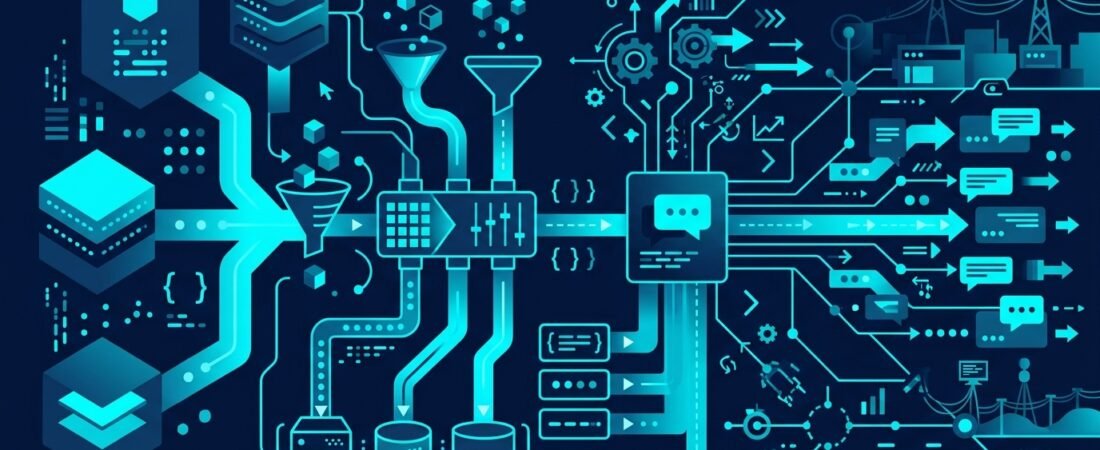
In today’s fast-paced digital environments, quick notes, urgent ideas, and ad-hoc to-dos often get dropped directly into chat applications like Discord. While this real-time communication is convenient, it quickly leads to a disorganized mess where critical tasks are lost, ideas are forgotten, and team members spend valuable time scrolling through fragmented chat history. To solve this problem for my own practice, I engineered a custom n8n automation workflow that acts as an intelligent “Notes Secretary,” capturing scattered messages and transforming them into a structured daily digest.
The Challenge of Unstructured Chat Data
Chat platforms are fundamentally optimized for chronological conversation, not long-term task management or structured knowledge retention. When a team member has a sudden realization or receives an urgent client request, the path of least resistance is to type it into the nearest active Discord channel. However, this creates a significant operational vulnerability. Unstructured information is easily buried under subsequent conversations, leading to lost instructions and duplicated work.
The market offers various solutions for Discord automation. For example, platforms like Taskade AI allow users to transform Discord threads into polished blog posts or route unresolved support tickets to help desks [1]. Other specialized tools focus on voice channels, such as NotesBot, which transcribes and summarizes Discord voice calls [4]. There are also numerous AI note-taking applications designed to capture meeting insights [2]. Furthermore, integrating AI agents into Discord can provide server analytics, sentiment analysis, and third-party task management coordination [3]. Broad automation platforms like Zapier, IFTTT, and Axiom.ai also offer ways to link Discord with external spreadsheets or browser-based bots [6].
However, many of these off-the-shelf solutions either require adopting heavy, external SaaS ecosystems or lack the granular text-processing capabilities needed to handle messy, human-generated notes in real-time. I needed a highly specific, reliable, and lightweight system. Therefore, I developed the Baizhi Notes Secretary workflow using n8n. This system actively monitors designated Discord channels, filtering incoming webhooks for messages prefixed with specific triggers like !todo, !note, or !notes. Beyond Discord monitoring, I designed the system to accept notes via a dedicated HTTP webhook. This offers crucial flexibility for information intake. If I am working in a terminal, browsing a web page, or using a different application entirely, I can trigger a simple cURL command or use a browser extension to POST a JSON payload directly to the n8n webhook. The workflow processes this external data using the exact same deduplication and AI categorization logic, unifying all inputs into the single 9:00 PM Discord digest.
Why Automated Task Management Matters for Your Business
For small and mid-sized businesses, the cost of scattered information is measured in lost productivity and increased cognitive load. When IT leads and business owners are forced to manually track down action items across multiple chat channels, they are wasting time that should be spent on strategic execution. AI-powered platforms like Odin AI can help transform workflows by organizing tasks and managing channel messages [5], but a tailored, internal automation provides superior control over your data.
Implementing an intelligent daily digest fundamentally shifts how your team interacts with chat tools. It provides clarity and focus. Instead of checking multiple channels repeatedly to ensure nothing was missed, team members can rely on a single, clean daily summary. This eliminates the recurring problem of forgotten notes and duplicated efforts. Furthermore, it ensures reliability. By automating the capture and categorization process, you establish a consistent, immutable record of daily action items without forcing your staff to abandon their preferred communication tools. They can continue to drop quick notes in Discord, confident that the automation will catch, clean, and categorize the data.
How to Build an Intelligent Notes Secretary: A Step-by-Step Guide
Building a robust Discord note-capture system requires more than just connecting a webhook to a database. It requires careful data sanitization, intelligent processing, and resilient error handling. Here is the concrete checklist for implementing a system similar to the Baizhi Notes Secretary.
- Establish Strict Capture Triggers: Avoid the trap of processing every single message in a channel, which wastes compute resources and introduces noise. Configure your Discord integration to only push messages to your automation platform (like n8n) if they begin with explicit commands, such as
!todoor!note. This deliberate user action signals intent, ensuring the system only captures relevant data. - Implement a Sophisticated Deduplication Engine: Users frequently repeat themselves, especially across different channels or devices. To maintain a clean digest, your workflow must maintain a rolling 24-hour memory window. Build logic to identify and discard duplicate entries. This cannot rely on exact string matching alone. Your deduplication process must account for normalized text, stripping out punctuation and handling special characters (such as Polish diacritics). Furthermore, implement subset matching and word-overlap algorithms to catch instances where a user typed a slightly varied version of a previous note. For example, if a user types
!note check firewall rulesand later types!note check the new firewall rules on the edge router, a simple exact-match algorithm will fail to recognize the overlap. By implementing a Jaccard similarity index or Levenshtein distance calculation within your n8n code nodes, you can set a threshold to flag and merge these related entries, drastically reducing cognitive load when reviewing the final digest. - Integrate AI-Powered Categorization: Raw lists of notes are difficult to parse. Route your captured, deduplicated text through an efficient Large Language Model (LLM). In my workflow, I leverage Gemini 2.5 Flash due to its speed and low latency. Instruct the AI to analyze the semantic intent of each note and sort it into predefined categories: actionable tasks, insightful ideas, and general informational notes. This transforms a flat list into a prioritized operational agenda.
- Design a Robust Rule-Based Fallback: External AI APIs are subject to rate limits, network timeouts, and unexpected downtime. Never build a workflow that fails completely if the AI is unavailable. Implement a rule-based fallback mechanism using standard conditional logic and regular expressions. If the Gemini API fails to respond within the allotted timeout, or if it returns an improperly formatted JSON response, the system should automatically bypass the AI node and categorize the notes based on the original prefix (e.g., treating all
!todoprefixes as tasks) or place them in an “Uncategorized” bucket. Continuous operation is paramount. - Format and Schedule the Unified Digest: The presentation of the data is just as critical as the processing. Configure a cron node to trigger the final compilation at a specific time each day, such as 9:00 PM. The system should aggregate the categorized entries and construct a rich Discord Embed payload. Embeds allow you to use distinct fields, colors, and formatting to visually separate tasks from general notes. Post this embed directly back into the primary Discord channel, providing a clear, easily readable overview of the day’s captured items.
Common Implementation Mistakes
When building chat automations, several common pitfalls can compromise the reliability of the system.
First, neglecting text normalization before deduplication is a frequent error. If your system evaluates “Deploy the server patch” and “deploy the server patch!” as two distinct strings, your final digest will be cluttered with redundancies. Always convert text to lowercase, strip trailing whitespace, and normalize unicode characters before running comparison algorithms.
Second, failing to manage state effectively can lead to memory leaks or data loss. If you are using a 24-hour deduplication window, ensure your workflow correctly prunes data older than 24 hours from its temporary storage (whether that is n8n static data, a Redis instance, or a temporary database table). Infinite data accumulation will eventually crash the workflow.
Third, providing vague prompts to the AI categorization model will result in inconsistent sorting. Do not simply ask the AI to “organize these notes.” Provide a strict JSON schema in your prompt and explicit definitions for what constitutes a “task” versus an “idea.” The more constrained the prompt, the more reliable the output.
Key Takeaways
- Chat applications are optimized for real-time communication, making them poor tools for unstructured knowledge retention without automated intervention.
- Targeted message capture using specific command prefixes (like
!todo) is highly efficient and prevents system noise. - Effective deduplication requires advanced text normalization, subset matching, and word-overlap analysis, not just exact string comparison.
- Lightweight AI models (like Gemini 2.5 Flash) excel at categorizing unstructured text into actionable agendas, provided they are given strict schemas.
- Always implement rule-based fallback mechanisms to ensure your automation continues to function during third-party API outages.
Sources
- AI Discord Automations | Taskade AI [1]
- Discord note taker – There’s An AI For That® [2]
- Discord AI Agent | ClickUp™ [3]
- NotesBot – AI Meeting Notes for Discord Calls [4]
- How to Set Up Discord Integrations With Odin AI: Complete Guide [5]
- 7 Powerful Ways to Automate Discord and Elevate Your Community Management – ExpressTech Software [6]
Need a hand with this? CyberResonance helps small and mid-sized businesses with security audits, penetration testing and production-grade n8n automation. See the services or learn more about Kacper.